Google Merchant Center

How to Set Up a Google Merchant Center Account in 7 min (2026 Tutorial)

If you need a clean Merchant Center foundation before running ads, this create google merchant center account step by step guide 2026 shows the exact setup flow from the video. You’ll enter business details that match your website, verify and claim your domain, and set shipping + returns so you avoid avoidable problems later.

Quick Answer (read this first)

To set up a Merchant Center, create the account, add business details that match your website, then verify and claim your store domain. Next, set shipping settings and your return policy, then enable free listings and connect your product feed so products sync automatically. Most setup problems happen when your website policies and your Merchant Center settings do not match.


Create a Google Merchant Center Account Step by Step (2026)

This is the exact order from the video:

  1. Create the account (basic questions + manual setup)
  2. Add business info (name, address/contact, email, optional phone)
  3. Verify + claim your website domain
  4. Add shipping settings
  5. Add return/refund policy
  6. Next: connect your store feed (covered in the follow-up video)

2025 vs 2026 note (updated, same flow)

The UI labels can change, but the core flow is the same: account → business info → website verification/claim → shipping → returns.

What you will set up in 7 minutes

By the end, you’ll have:

  • An active Google Merchant Center account
  • A claimed store domain
  • Shipping settings (countries + delivery times + costs)
  • A return policy inside Merchant Center
 

Before you start: Merchant Center requirements on your website

Requirements

Before you touch settings, make sure your site has the basics in place. When your site and Merchant Center disagree, you’re inviting warnings and disapprovals later. (Experience-based.)

Checkout works

  • Your cart and checkout should function end-to-end (even if you use a test product/order).

Contact info visible

  • Put your contact page link somewhere easy (header/footer).
  • Show at least a support email. A phone number helps trust (optional, but recommended in practice). (Experience-based.)

Shipping and returns pages match

Have these pages live before you enter settings:

  • Shipping page (times + costs + where you ship)
  • Returns page (window + method + exchanges + refund timing)

Accurate availability

If your store says “in stock,” the product must be purchasable. (This becomes more important once products sync.) 


Step 1: Create your Merchant Center account

What Google asks

In the video flow, Google asks a few basics:

  • Do you sell products online?
  • Your store URL
  • Whether you have a physical store (or online only)

Merchant Center is designed to be the place where your product data lives so products can show across Google surfaces (free listings and Shopping ads).

Manual setup option

In the video, you choose manual setup so you control the data quality instead of rushing through defaults. (Experience-based.)

Manual setup (see also video above)

  1. Open the official Merchant Center sign-in page and click Start.
  2. Select Yes for selling online, paste your store URL, and continue.
  3. Choose manual setup and continue into the Merchant Center.

Important: The country you choose during setup can’t be changed later. Double-check it before you continue.


Step 2: Add business info that matches your website

Business name matching

Copy your business name exactly as shown on your website (same spelling and spacing). (Experience-based.)

Support email and contact page

In the video:

  1. Left menu → Business information
  2. Edit business details and save
  3. Add your contact page URL and a support email
  4. (Optional) Add a phone number for extra trust (recommended)
  5. Set preferred contact method to email (video preference)

Optional phone number

Optional, but helpful—only add it if someone can actually answer it. (Experience-based.)

Mini-checklist button (after Step 2)

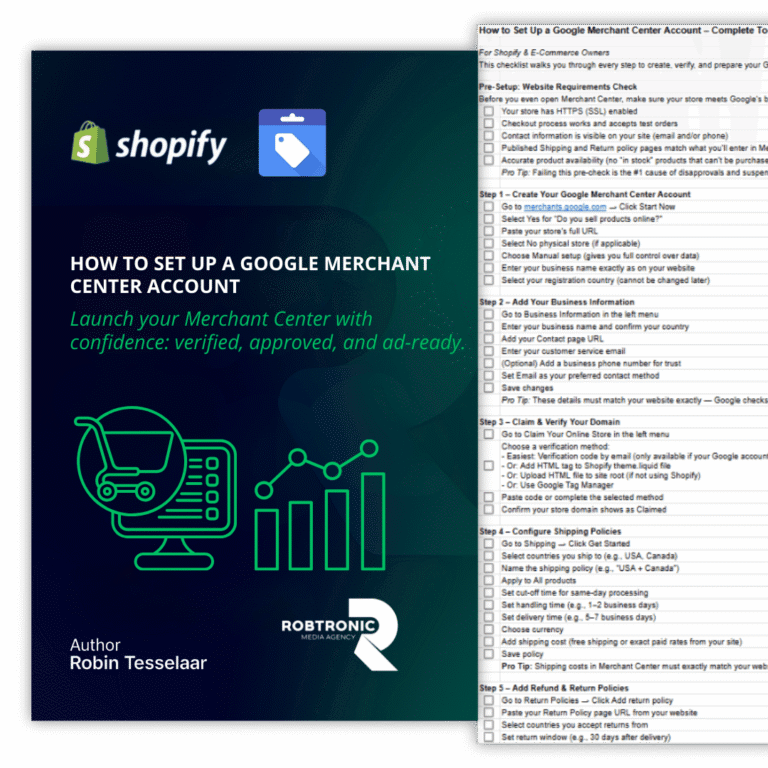
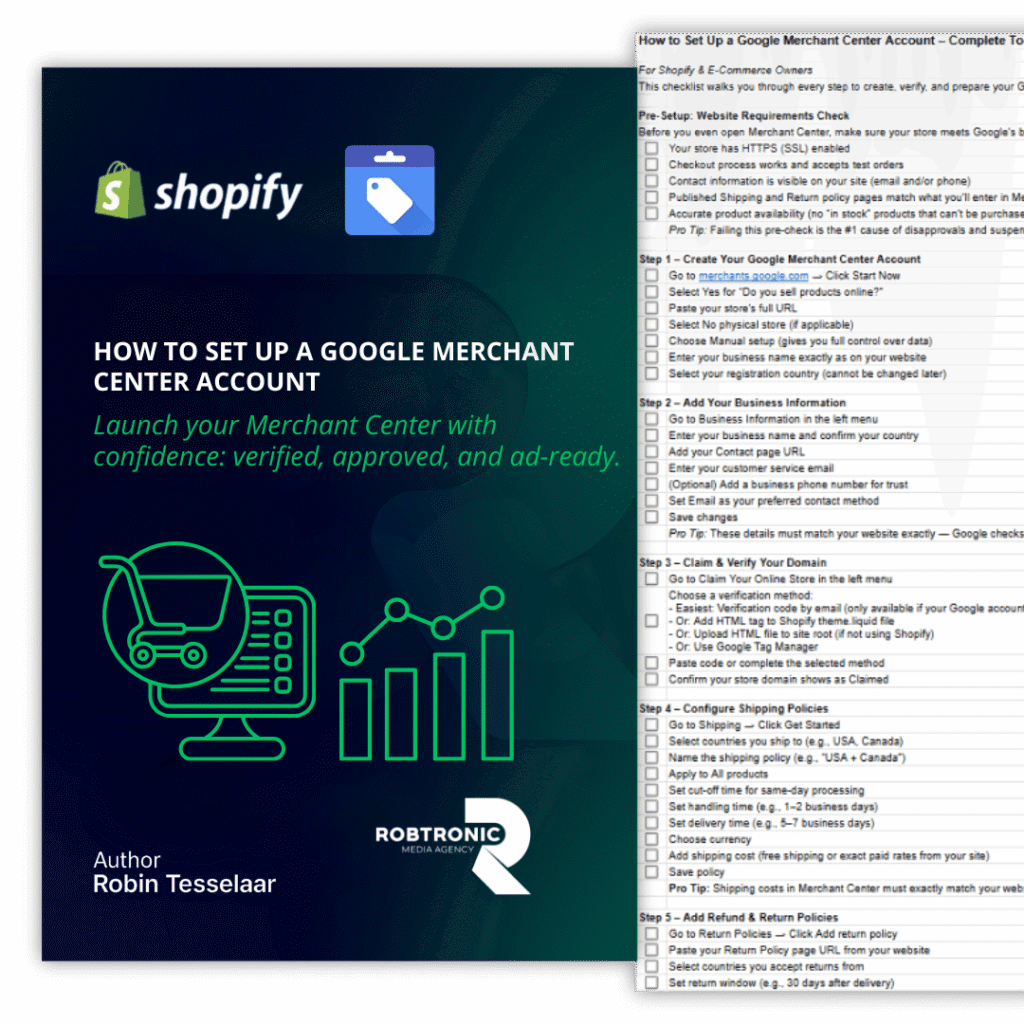
[Get the full Merchant Center setup checklist]


Step 3: Verify and claim your website

Verify vs claim in simple words

  • Verify = prove you control the website.
  • Claim = connect (reserve) that website for your Merchant Center account.

Common verification methods (high level)

Google supports multiple ways to verify your store, including:

  • Email verification (receive a code)
  • E-commerce platform options
  • HTML tag or HTML file
  • Google Tag Manager
  • Google Analytics

Video method: email verification code → paste code → verify.

Note: Google specifically mentions that Analytics verification might not work on some third-party platforms (example given: Shopify), and recommends HTML tag verification in those cases.

What to check if it fails

If verification fails, use these decision rules:

  • IF you can’t receive the email code, THEN use HTML tag/file or Tag Manager instead.
  • IF you’re verified but not claimed, THEN look for the claim step inside Merchant Center and finish it (verification and claiming are not the same).

IF you need a developer/agency to help, THEN invite them as a user (see “How to give access” below).

Not Subscribed yet?

Join My Free E-Commerce Knowledge Center to Boost Your Online Store's Sales & Profits.

  • Free Knowledge for Guarenteed More Sales & Profits
  • Incl. Checklists, E-books, Templates, Tutorials, 75+ Video’s, Special Discounts E-Commerce Software and many more
  • 100% Free & Direct Access
  • 5+ Years E-Com Experience

Step 4: Shipping settings (delivery times and costs)

Countries and rates

In the video, you:

  • Go to Shipping
  • Click Get started
  • Select the countries you ship to (example: US + Canada)
  • Name the policy (example: “USA + Canada”)
  • Apply to all products

Delivery time basics

Merchant Center calculates delivery estimates using:

  • Cut-off time
  • Handling time
  • Transit time

The video example uses:

  • A cut-off time (with a selected time zone)
  • Handling days (example: 1–2 business days, Mon–Fri)
  • Transit time (example: 5–7 days)

Free shipping setup

If your website offers free shipping, select free shipping in the Merchant Center too. The big rule: your Merchant Center shipping setup must match what your website promises. (Experience-based; mismatch risk is high.)


Step 5: Return policy setup

Return window and processing time

In the video flow, you:

  1. Go to Shipping and returnsReturn policiesAdd return policy
  2. Paste your return policy page URL
  3. Select countries
  4. Choose whether you accept returns (defective + non-defective) and exchanges
  5. Set the return window (example: 30 days after delivery)
  6. Set return method (example: by mail)
  7. Choose currency
  8. Confirm restocking fee and refund processing time (example: 10 days)
  9. Save

Exchanges

If you accept exchanges on your website, set it the same way in the Merchant Center.

Match website policy page

Google’s own guidance calls out consistency between your website and Merchant Center return policy details.

What happens next: your return policy can show a status like Pending, Verified, or Rejected inside the Merchant Center.


Tax settings (US only)

This is in the checklist, but not covered in the 7-minute video steps.

  • If you sell in the US, you may need to configure tax settings so your pricing stays consistent.
  • Needs verification: exact UI path/labels for tax settings in the current Merchant Center UI.
 

Optional: Branding and free listings

This expands what you set up after the video.

Logo basics

Upload a clean logo that matches your store branding. (Experience-based.)

Free listings note (no guarantees)

Free listings can be enabled, but products are not guaranteed to show. Google says it relies on the data you provide to match products to searches.


Next: Connect your store and product feed

Shopify connection paths

This step is mentioned at the end of the video as the “next” move (covered in the follow-up video).

Post-sync checks

After products sync:

  • Check product status and policy warnings (see Final checks below).
  • Fix high-impact issues before spending on ads. (Experience-based.)
 

Final checks: diagnostics and common warnings

Diagnostics routine

In 2026 UI terms, you’ll usually look at:

  • ProductsNeeds attention (this replaced the older “Diagnostics” view)

Common setup mistakes

Here are the mistakes that cause the most pain later:

  • Shipping times/costs in Merchant Center don’t match your shipping page
  • Return policy details don’t match your returns page
  • Domain not claimed (or claimed under the wrong user)
  • You remove the user who verified the site and lose verification (yes, this can happen)

Troubleshooting / decision rules (IF/THEN)

  • IF “Needs attention” shows shipping issues, THEN compare Merchant Center shipping policy vs your shipping page and make them match.
  • IF return policy status is “Rejected,” THEN fix your website policy page first, then update the policy in Merchant Center and resubmit.

IF you need to add a freelancer/agency, THEN use Access and services → People and access → Add person (steps below).


How to give access to Merchant Center (so someone can help)

Google’s current help flow is:

  1. Go to Access and services
  2. Open the People and access tab
  3. Click Add person
  4. Enter email and choose access level (Admin / Standard, etc.)
  5. Save
 

FAQ

Is Merchant Center free?

Creating a Merchant Center account is free. Extra guidance → Google Help.

Do I need Merchant Center to run Shopping ads in Google Ads?

Yes—Merchant Center is where your product data lives for Shopping ads. Extra guidance → Google Help.

Do I still need Merchant Center if I do not run ads?

If you want free product listings, Merchant Center is still relevant. Just remember: opt-in doesn’t guarantee visibility. Extra guidance → Google Help.

What are the Merchant Center requirements for my website?

At minimum, your store should clearly show contact info, shipping, and returns—and your Merchant Center settings should match what your site says. Extra guidance → Google Help.

How do I verify and claim my website?

Use an allowed verification method (email, platform, HTML tag/file, Tag Manager, Analytics), then complete the claim step. Extra guidance → Google Help.

Why can’t my website be verified?

Common causes: you can’t receive the email code, you don’t have admin access to the verification method, or your platform requires a different method (for Shopify, HTML tag is often recommended). Extra guidance → Google Help.

How do shipping settings work?

Delivery estimates are based on cut-off time, handling time, and transit time. Extra guidance → Google Help.

How to give access to Merchant Center?

Use Access and services → People and access → Add person, then assign the right access level. Extra guidance → Google Help.

After Final checks

If your Merchant Center is set up and you want a safe launch system for your first profitable campaigns, the next step is Google Ads Foundation Strategy Training.

Done for you Ads Management

Ready to scale your revenue & profits using Google Ads?

If you want to scale your Google Ads to the next level while maintaining a solid profit margin and growing in a controlled way, we can help you break through your revenue plateau with our Google Ads scaling system, proven to work for more than 225+ e-commerce stores.

Curious what that could mean for you? Book a call using the button below.

Your Merchant Center blocked for ''Misrepresentation''?

Get Your Free Copy of our Quick Fix Misrepresentation Issue Checklist. Your Step-by-Step Guide to Resolving Google Merchant Center Errors Fast and Effective.

Your Merchant Center blocked for ''Misrepresentation''?

Premium Unblock Framework + 1:1 consult. We tell you exactly what to fix first, and what to submit. Step-by-step plan to fix “Misrepresentation”. 

Account suspended for Misrepresentation? Join 1,000+ store owners who fixed it with our Step-by-Step Framework, or get Personal 1-on-1 Help from Robin.

Get started today and finally make profit using Google Ads!