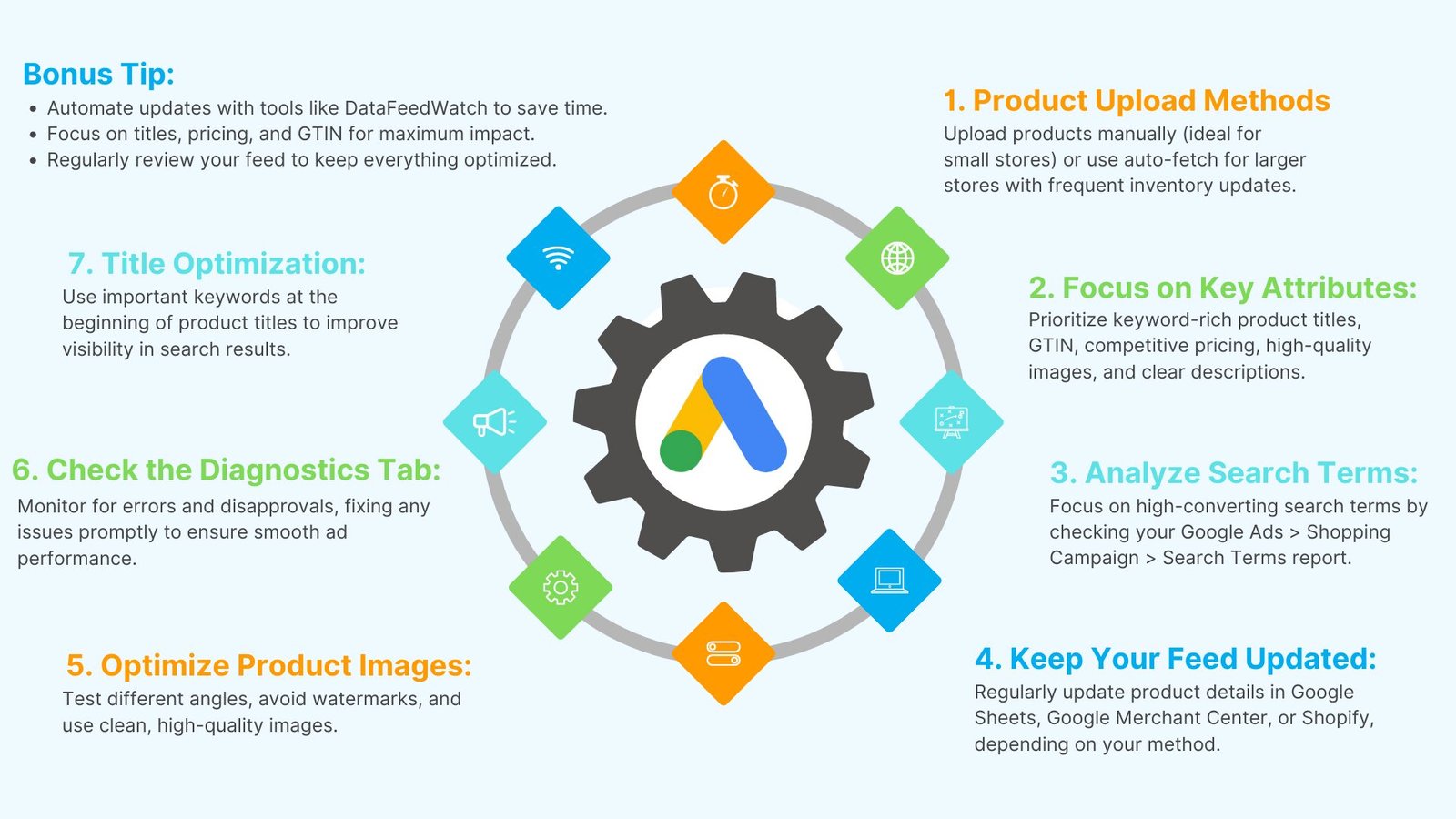
Google Shopping feed optimization is crucial for driving more impressions, clicks, and sales. This guide breaks down simple steps to optimize your product feed for better ad performance. From product titles to key attributes, these actionable tips will help you stay ahead.
Google Shopping Ads rely on your product feed, not keywords, to match products with searches. If your feed isn’t optimized, you risk wasting money on irrelevant clicks. A well-optimized feed ensures your products appear in front of the right audience.
Example: We optimized a product feed and saw a 10x increase in impressions and clicks. You can achieve similar results with these tips.
Step 1: Product Upload Methods
There are two ways to upload products to Google Merchant Center:
- Manual Uploads: Ideal for small stores with a few SKUs via Google Sheets or Merchant Center.
- Auto-Fetch: For larger stores with frequent inventory changes, use auto-fetch to keep your feed updated automatically.
Tip: Use tools like DataFeedWatch to automate feed updates and save time.
Step 2: Focus on Key Product Attributes
Optimizing essential attributes boosts your product’s visibility. Here are the most critical attributes:
- Product Titles: Make them keyword-rich and descriptive.
- GTIN: Helps Google identify your products accurately.
- Price: Ensure competitive pricing to perform better.
- Images: Use high-quality images without watermarks.
- Descriptions: Write clear, concise descriptions to inform Google about your products.
Tip: Focus first on titles, prices, GTIN, and images for maximum impact.
Step 3: Analyze Search Terms for Better Targeting
After launching your campaign, refine your product feed based on real search data:
- Check Search Terms: Go to Google Ads > Shopping Campaign > Search Terms.
- Sort by Conversions: Focus on the highest-converting search terms.
- Update Feed: Align titles and descriptions with successful search terms.
Tip: Use synonyms and location-based keywords to match customer search behavior.
Step 4: Keep Your Feed Updated
Regularly updating your feed ensures accuracy:
- Google Sheets Users: Open and edit the necessary fields.
- Google Merchant Center Users: Update product details directly.
- Shopify Users: Edit through your app in Shopify.
Tip: Always re-fetch your feed to avoid errors or disapprovals.
Step 5: Optimize Google Ads Product Images
Images are key to increasing click-through rates (CTR).
- Test Images: Try different angles and backgrounds.
- Avoid Watermarks: Use clean, high-quality images.
Tip: Review your competitors’ images and test similar styles for better performance.
Step 6: Check the Diagnostics Tab Regularly
Keep your feed healthy by checking the Diagnostics tab for errors and disapprovals.
- Set up email alerts for any issues.
- Fix disapprovals to maintain impressions and sales.
Tip: Check the Diagnostics tab weekly to ensure everything is running smoothly.
Step 7: Title Optimization for Higher Impressions
Optimized titles are crucial for ranking well in search results.
- Best Practice: Place important keywords at the beginning of the title.
- Example: “Nike React Flyknit Men’s Running Shoe” is better than “Running Shoe Nike React Flyknit.”
Tip: Regularly update titles with high-converting keywords.
Tools for Feed Management
Use tools to streamline your product feed management:
Tip: Periodically review your feed manually to ensure optimization.
Ongoing Optimization for Success
Feed optimization is ongoing. Regularly update your product feed based on search term data and performance metrics.
Tip: Review and update your feed at least once a month.
Conclusion: Boost Your Google Shopping Performance
Optimizing your Google Shopping feed can significantly improve your ad performance. Focus on key elements like product titles, pricing, and images to maximize impressions and clicks.
Bonus: Download our Google Shopping Feed Optimization Cheat Sheet for step-by-step guidance.
Start optimizing today to boost your Google Shopping success!