Google Merchant Center Misrepresentation Update. Check These 2 Trust Signals Now
Quick Answer
If your Google Merchant Center account is suspended for misrepresentation, fix your website trust first. Google officially looks for a real and transparent business, clear contact details, working policy pages, and a fully functional store with no broken links or placeholder content. After that, also check outside trust signals like Trustpilot and ScamAdviser. These are not official public Google approval requirements, but they can still affect how trustworthy your store looks online.
For the official Google guidance, read Google Merchant Center Misrepresentation Policy and Google Help. Check if your online store is fully functional.
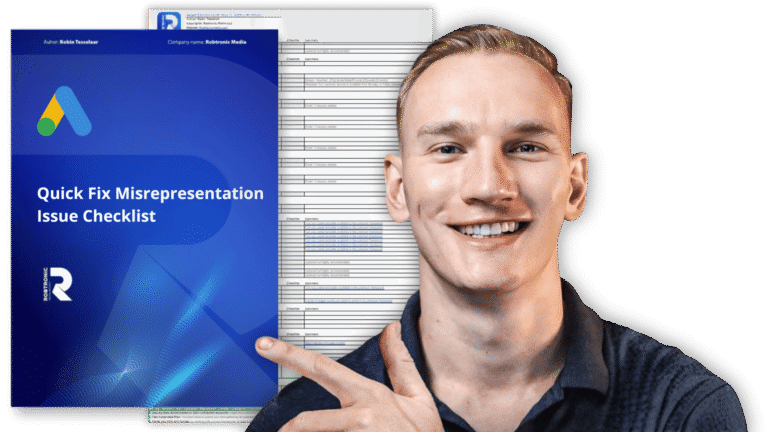
If you want the exact checklist this article is based on, open the free Google Merchant Center Fix Sheet.
If your Google Merchant Center account got blocked for misrepresentation, you already know how frustrating it is.
Google often does not tell you the exact reason.
You open the account, see the warning, fix a few things, send an appeal, and then get rejected again.
Right now, many e-commerce stores are dealing with this. That is why this update matters.
This article focuses on one specific part of the bigger Merchant Center fix process. It focuses on trust and reputation.
More specifically, it focuses on two trust signals many store owners should check right now:
This is not the full framework. This is the urgent update.
If you want the full suspension overview first, read this: Fix Google Merchant Center Account Suspended
Why this update matters
Many store owners still think a misrepresentation suspension is only about product data or one missing policy page.
But in many cases, the real issue is bigger.
It is about trust.
The free Google Merchant Center Fix Sheet makes that clear. It starts with core checks like domain-based business email, no broken links, acceptable PageSpeed, HTTPS, valid SSL, visible phone number, business address, customer service hours, clear shipping details, payment methods, working contact pages, policy pages, and a safe checkout flow.
Google also explains this in its own help pages. Review Google Merchant Center Misrepresentation Policy and Google Help. Check if your online store is fully functional before you submit another appeal.
So if your store looks weak, incomplete, or risky, that can hurt your Merchant Center approval.
And based on recent case patterns, many store owners are now paying much more attention to outside trust signals too.
The 2 trust signals to check now
This is the key update.
Across recent Merchant Center cases, two trust signals keep coming up:
- your Trustpilot presence
- your ScamAdviser profile
Important note. Google does not publicly say that Trustpilot is required. Google also does not publicly say that a specific ScamAdviser score is required. The safest way to say it is this: these are practical trust signals worth checking because they can influence how legitimate your store looks online. At the same time, the free Fix Sheet is built around the bigger trust foundation first, not just these outside signals.
1. Trustpilot can affect how real your store looks
The first thing to check is your Trustpilot profile.
If your store has no review profile at all, that can look weak.
If your store has a profile full of bad reviews, that can look even worse.
And if your store has real positive reviews from real customers, that can help your business look more established.
What to check on Trustpilot
Search for your brand on Trustpilot and review these points:
- does your business profile exist
- is your business name correct
- is your domain correct
- do you have real customer reviews
- is your rating very low
- are there unresolved complaints
A lot of store owners ask the same question here.
Do I need a certain number of reviews?
There is no official public Google document that says you need a fixed number of Trustpilot reviews for approval. So do not publish that as a hard fact. But as a practical step, many store owners try to build a small base of real positive reviews so the business looks legitimate and active.
What to do next
Keep it simple.
Start collecting real reviews from real customers.
Do not buy reviews. Do not fake reviews.
The goal is not to game the system. The goal is to make your store look like what it should be: a real business with real buyers.
If you want more background on fixing trust issues, read this too: Google Misrepresentation Issues. 4 Fixes
2. ScamAdviser is another trust signal worth checking
The second thing to review is your ScamAdviser profile.
A very low score can make your domain look risky from the outside.
At the same time, a low score does not always prove your store is unsafe. It can also reflect incomplete, outdated, or mixed data.
So if your profile looks bad, the score alone is not the full story. But it is still something worth checking.
What to check on ScamAdviser
Search for your domain on ScamAdviser and review:
- your trust score
- whether your business information is correct
- whether the domain is marked as risky
- whether the profile contains wrong or outdated data
Some store owners talk about a score target like 70+.
Again, this is not something Google publicly lists as an official Merchant Center rule. So the safer approach is this: if the score is very low, treat it as a warning sign and investigate why.
What to do if your ScamAdviser profile looks wrong
If your business is legitimate but the data around your domain is inaccurate, request a correction or review.
This should not be treated as a guaranteed Merchant Center fix.
It should be treated as one part of cleaning up your public trust profile.
Why these 2 signals matter together
Think about it from Google’s point of view.
Google wants to send shoppers to businesses that look real, safe, and trustworthy.
So if your website already has trust problems, and your public trust signals also look weak, that creates a bigger trust gap.
For example:
- your site has weak policy pages
- your contact details are incomplete
- your store looks new or unfinished
- there are no public reviews
- your domain has a poor outside trust profile
One issue alone may not be the full reason.
But several weak trust signals together can make your store look risky.
That is why this update is important.
Also read this if you want to avoid common mistakes: Misrepresentation Error. Stop Wasting Time on These 5 Fixes That Don’t Work
Do not forget the official website trust checks
This is where many store owners go wrong.
They hear about Trustpilot or ScamAdviser and focus only on that.
Do not do that.
Your first priority is still your website.
The free Google Merchant Center Fix Sheet is useful here because it gives a clear trust checklist. It includes checks for contact details, customer service hours, footer navigation, legal pages, product compliance, FAQ consistency, shipping times, return windows, payment policy, track order page, working checkout, no fake trust elements, no misleading statements, and factual product descriptions.
Google also explains this in its own help pages. Review Google Merchant Center Misrepresentation Policy and Google Help. Check if your online store is fully functional before you submit another appeal.
Website trust checklist for Merchant Center approval
Before you submit another appeal, check these points first.
Business information
Make sure your website clearly shows:
- business name
- contact email
- phone number if possible
- business address if available
- contact page
The Fix Sheet specifically calls out visible phone number, correct business address format, customer service hours, and a business-domain email address that matches your store domain.
Policy pages
Make sure these pages are live and easy to understand:
- shipping policy
- return and refund policy
- privacy policy
- terms and conditions
The Fix Sheet also says these pages should be easy to find, usually in the footer, and should include clear details like shipping cost, transit time, return window, who pays return shipping, refund timing, and contact details.
Store quality
Check for:
- no broken links
- no empty pages
- no placeholder text
- no unfinished theme sections
- no misleading claims
- no fake urgency elements
The sheet also warns against fake trust elements, misleading statements, and unverifiable product claims.
Product pages
Make sure each product page clearly shows:
- product title
- real images
- clear pricing
- shipping details
- return information
- accurate product description
Checkout
Make sure the checkout feels safe and clear:
- secure payment methods
- clear total costs
- no hidden fees
- no confusing steps
The Fix Sheet includes exact checks for payment methods, checkout flow, and end-to-end checkout functionality.
Helpful next read: Quick Fix Misrepresentation Issue Checklist