Google Merchant Center

3 Costly Mistakes That Get Your Google Merchant Center Suspended (And How to Fix Them)

Getting hit with “misrepresentation” or “website needs improvement” errors? You’re not alone. After 300+ audits, these 3 common mistakes keep costing eCommerce brands serious ad spend. Discover what they are within this article.

3 Costly Mistakes That Get Your Google Merchant Center Suspended (And How to Fix Them)

Picture starting an online store. You put in time and money. Then, your products disappear from Google Shopping. No warning. Just a suspension notice. That gut-punch moment is all too common among eCommerce entrepreneurs. And in most cases, it comes down to a few avoidable blunders.

Google Merchant Center (GMC) can be a goldmine, but it’s guarded like Fort Knox. After helping more than 300 stores recover from suspension, one thing is clear: the rules are strict, but they can be overcome. This article unpacks the three most common mistakes that lead to suspension, and more importantly, how to fix them.

Let’s break it down.


1. Connecting Shopify to Merchant Center the Wrong Way

Many store owners unknowingly shoot themselves in the foot right from the start. Connecting Shopify (or WooCommerce) to GMC isn’t just about flipping a switch. If done wrong, it can mix up product data, confuse prices, and make your listings look like a jigsaw puzzle with missing pieces.

The native Google channel on Shopify? Easy to use, but limited. It often doesn’t sync important product information. This can cause errors in how things are shown. It may also lead to “website needs improvement” issues.

The fix? Go beyond the basics. Tools like MultiFeed and DataFeedWatch give you better control over your feed. You can clean up your product titles, categories, and metadata before they reach Google.

Tip: Check that product titles, descriptions, sale prices, and regular prices are accurate. Mismatches here are a fast track to suspension.

Stats reveal that feed mismanagement often causes GMC errors. This is especially true for new Shopify users.


2. Sloppy or Mismatched Business Information

Think of Google like a detective. If your business details don’t match up across the board, it raises red flags. That includes your store name, business address, tax ID, contact info, and even return policies.

Sellers often have typos on their contact pages. They may also use different names for their domain and Merchant Center account. These little things add up—and Google’s AI doesn’t let much slide.

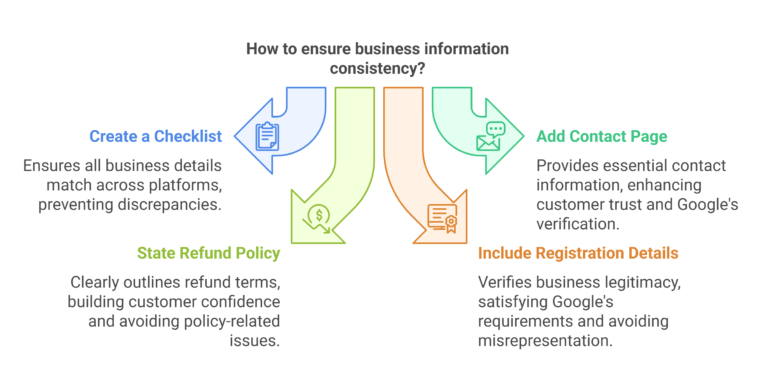
Practical Tip: Create a checklist. Check that your business info matches on your website, Merchant Center, and Google Ads.

  • Add a contact page.

  • State your refund policy clearly.

  • Include your company registration details.

Suspensions for “misrepresentation” or “website needs improvement” often happen due to small issues. A missing phone number or inconsistent branding can be the culprit.

2. Sloppy or Mismatched Business Information - visual selection
Not Subscribed yet?

Join My Free E-Commerce Knowledge Center to Boost Your Online Store's Sales & Profits.

  • Free Knowledge for Guarenteed More Sales & Profits
  • Incl. Checklists, E-books, Templates, Tutorials, 75+ Video’s, Special Discounts E-Commerce Software and many more
  • 100% Free & Direct Access
  • 5+ Years E-Com Experience

3. Low-Quality Website Standards

Google cares about user experience. If your site looks sketchy or loads slower than a dial-up modem, expect trouble.

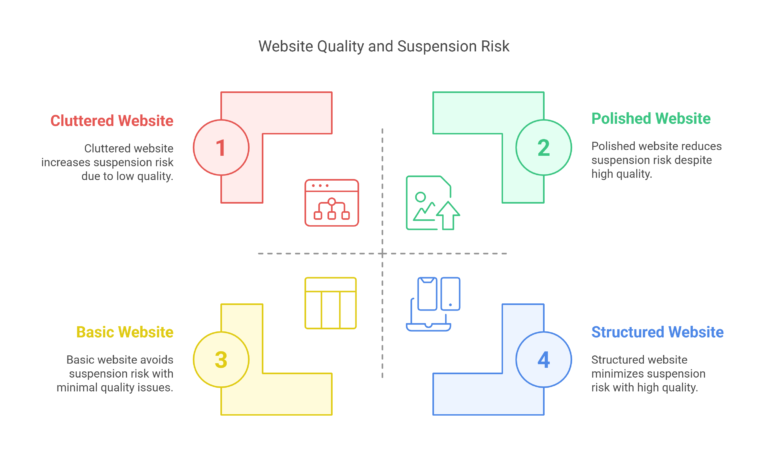
The algorithm reviews everything. It looks at page speed, navigation, layout, and how well your product pages explain what’s for sale. Cluttered themes, broken links, or reused templates can all raise red flags.

Drop shippers, in particular, often get tripped up here. Using bulk-import apps or cloned store templates might save time, but they scream low quality to Google.

Practical Tip: Audit your site monthly. Use tools like Google PageSpeed Insights. Make sure your homepage, product pages, and navigation are polished.

  • Add unique product descriptions.

  • Use multiple images.

  • Create a structured layout.

LitCommerce and GoMage found that a better site structure lowers suspension risk. It also boosts ad performance.

Wrap Up: Getting Back in Google’s Good Books

To prevent Google Merchant Center suspension, do the basics better than your competitors. Nail your Shopify integration. Lock in consistent, transparent business info. And treat your website like a flagship store, not a flea market booth.

There’s no magic bullet, but with the right setup, your store can avoid the common traps and stay live, visible, and profitable.

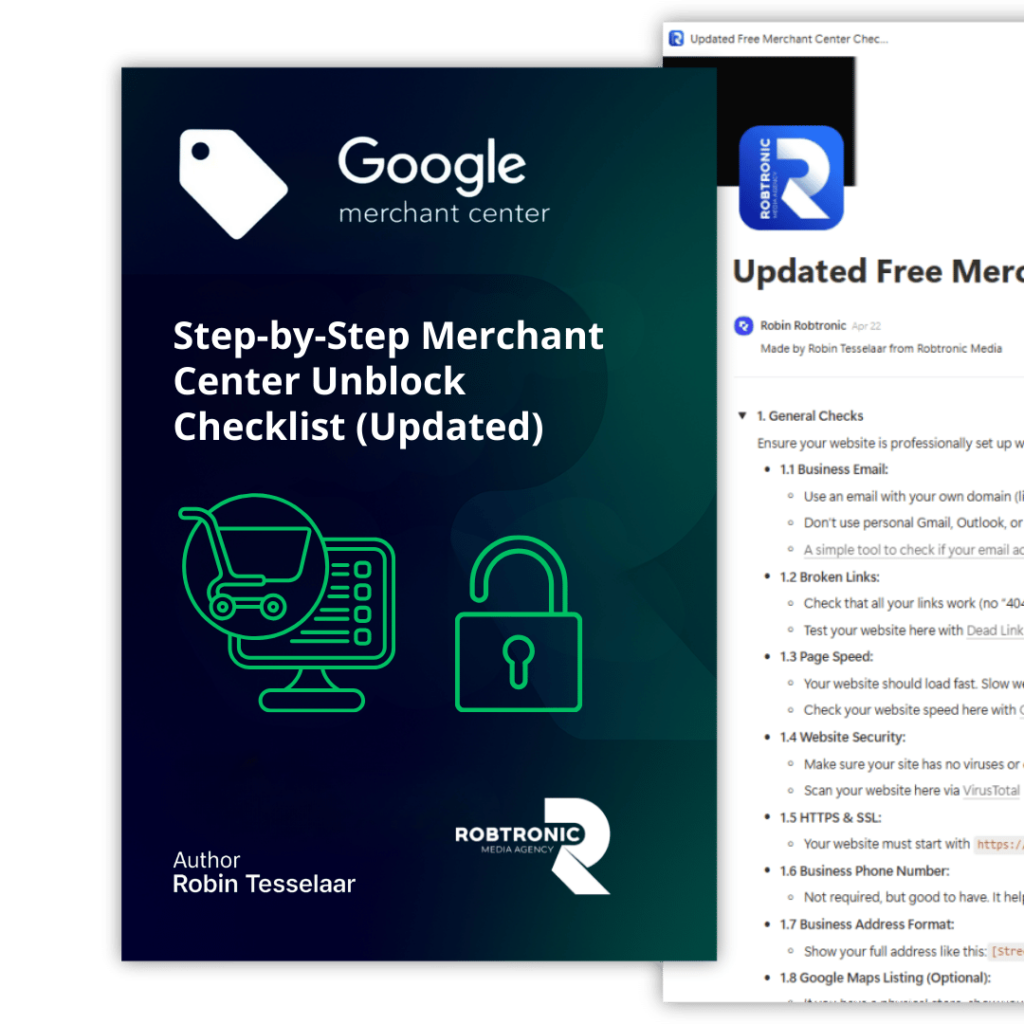
Want to bulletproof your GMC account? Get the free checklist! It covers all the requirements for your Shopify, Merchant Center, and Google Ads accounts. Better safe than suspended!

Done for you Ads Management

Ready to scale your revenue & profits using Google Ads?

If you want to scale your Google Ads to the next level while maintaining a solid profit margin and growing in a controlled way, we can help you break through your revenue plateau with our Google Ads scaling system, proven to work for more than 225+ e-commerce stores.

Curious what that could mean for you? Book a call using the button below.

Your Merchant Center blocked for ''Misrepresentation''?

Get Your Free Copy of our Quick Fix Misrepresentation Issue Checklist. Your Step-by-Step Guide to Resolving Google Merchant Center Errors Fast and Effective.

Your Merchant Center blocked for ''Misrepresentation''?

Premium Unblock Framework + 1:1 consult. We tell you exactly what to fix first, and what to submit. Step-by-step plan to fix “Misrepresentation”. 

Account suspended for Misrepresentation? Join 1,000+ store owners who fixed it with our Step-by-Step Framework, or get Personal 1-on-1 Help from Robin.

Get started today and finally make profit using Google Ads!